You've got a 40-page lecture PDF and an exam on Friday. So you do the natural thing: you open it and start reading it again. And again. By the third pass the words feel familiar — but familiarity isn't the same as understanding, and on the exam it falls apart.
The fix isn't more reading. It's turning that passive PDF into something that asks you questions, explains the hard parts, and checks whether it actually stuck. Here's how to do that in about three minutes.
Why rereading fails
Decades of learning-science research point to the same conclusion: the effort of retrieving an idea is what cements it, not the comfort of re-reading it. Passive review builds recognition; active recall builds memory.
Reading your notes a fourth time is the studying equivalent of watching someone else lift weights.
The problem is that active recall is annoying to set up on your own. You'd have to write your own questions, space them out, and grade yourself honestly. Almost nobody does. That's exactly the gap Neuronity fills.
The 3-minute setup
Once you're in the app, going from a blank dashboard to a live lesson takes three short steps.
1. Create a course and add your material
Make a course for the subject, then upload the PDF — lecture slides, a textbook chapter, or your own notes all work. Word, PowerPoint, and plain text are supported too.
2. Tell it your goal
In one line, say what you're trying to do: "Understand SN1 vs SN2 reactions for my orgo midterm." Neuronity uses that goal to decide what matters in your material and what to skip.
3. Build the lesson
Hit Build my lesson. In a few seconds it reads everything and organizes it into clear sections, each with checkpoints along the way.
What makes it stick
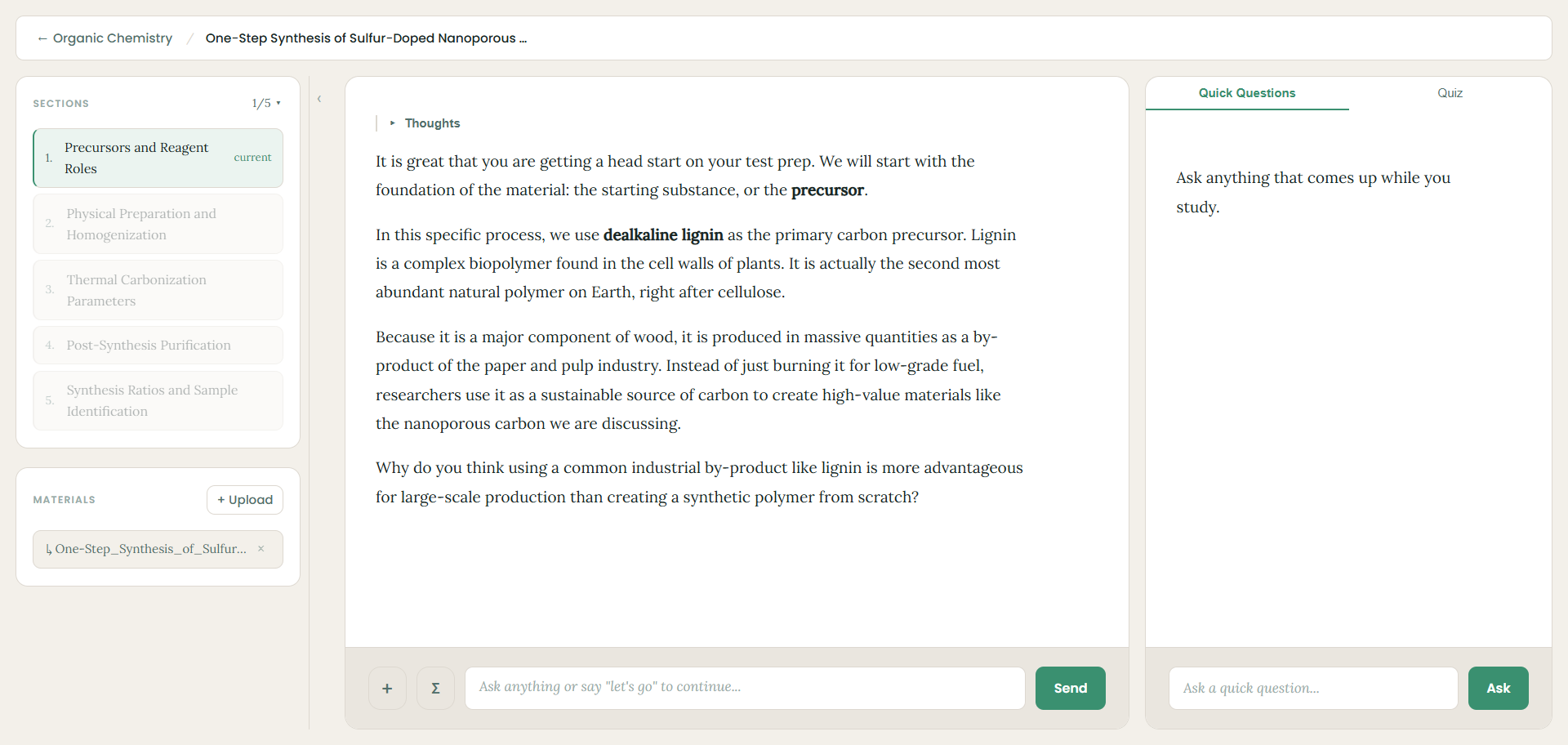
The lesson isn't a wall of text. It teaches one idea at a time and pauses to check in, so you're always doing something with the material instead of just scrolling past it.
- One step per message — the tutor explains a single idea, then asks a short question before moving on.
- Checkpoints — practice problems appear between sections to lock in what you just covered.
- Quick Questions — stuck on a term? Ask on the side without losing your place.
- Quizzes — when you're ready, generate a quiz at your chosen difficulty to see what actually stuck.
Try it with your next reading
Next time you catch yourself opening the same PDF for the third time, stop. Drop it into Neuronity, tell it what you need, and spend those minutes being quizzed instead of skimming. It's free, and it takes less time than one more re-read.